
SKILL.md
10,406 bytesOpen “Read skill files” to load this pinned file inside Edge.Make the AI parts of your app stop looking generic: glowing borders, thinking orbs, voice glow and animated bot avatars, added by your agent.
Signal describes package standing, not measured performance.
Jakub Antalik's guide to the seven Libraries.dev UI effect packages: Border beam, Thinking orbs, Gooey, Voice glow, Bot avatars, Liquid metal and Image effects. The agent learns what each one is for, how to install it and which options it offers, reads the reference before writing code, and can review a project for the places these effects fit.
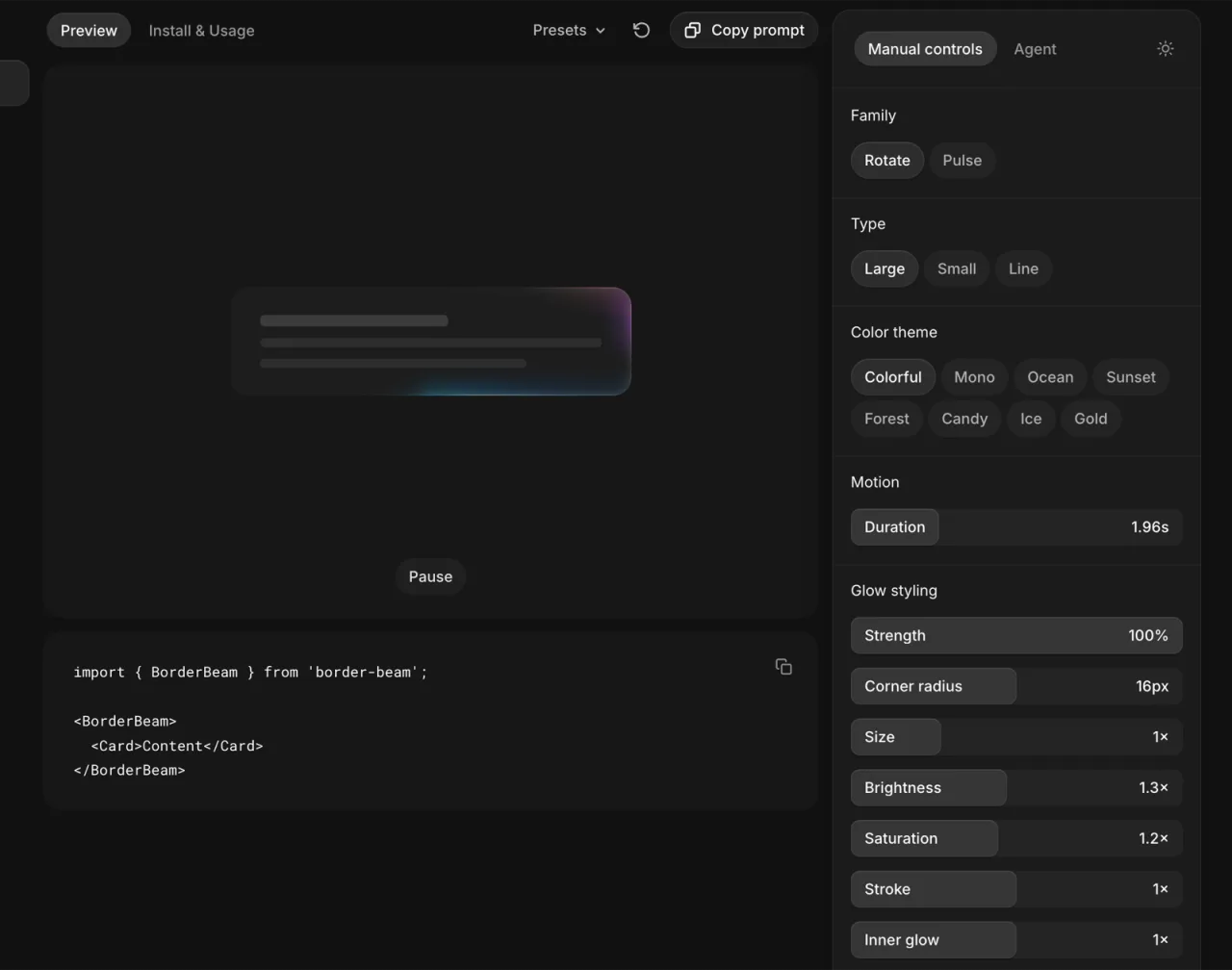
The image below is Jakub Antalik's own screenshot of the Border beam page on libraries.dev, from the Libraries.dev repository. Edge did not run or edit it. It shows the effect the skill installs and the options its reference covers. This is a showcase, not a comparative evaluation.
What you can inspect
Package instructions + 1 worked exampleThese materials show the intended workflow. They do not support a measured performance claim.Open “Read skill files” to load this pinned file inside Edge.Make the AI parts of your app stop looking generic: glowing borders, thinking orbs, voice glow and animated bot avatars, added by your agent.
Package available. Versioned package and files available. The 1 worked examples explain the intended workflow; they are not recorded model runs.
Created by Jakub Antalik. The installable package is distributed through the public getedgehq skills collection.
Jakub AntalikAuthor of Libraries.dev, Jakub AntalikEvery file from the pinned package is available here. SKILL.md opens first.
Open “Read skill files” to load this pinned file inside Edge.